Punapai: Build Affiliate Landing Pages in Less Than 2 Minutes
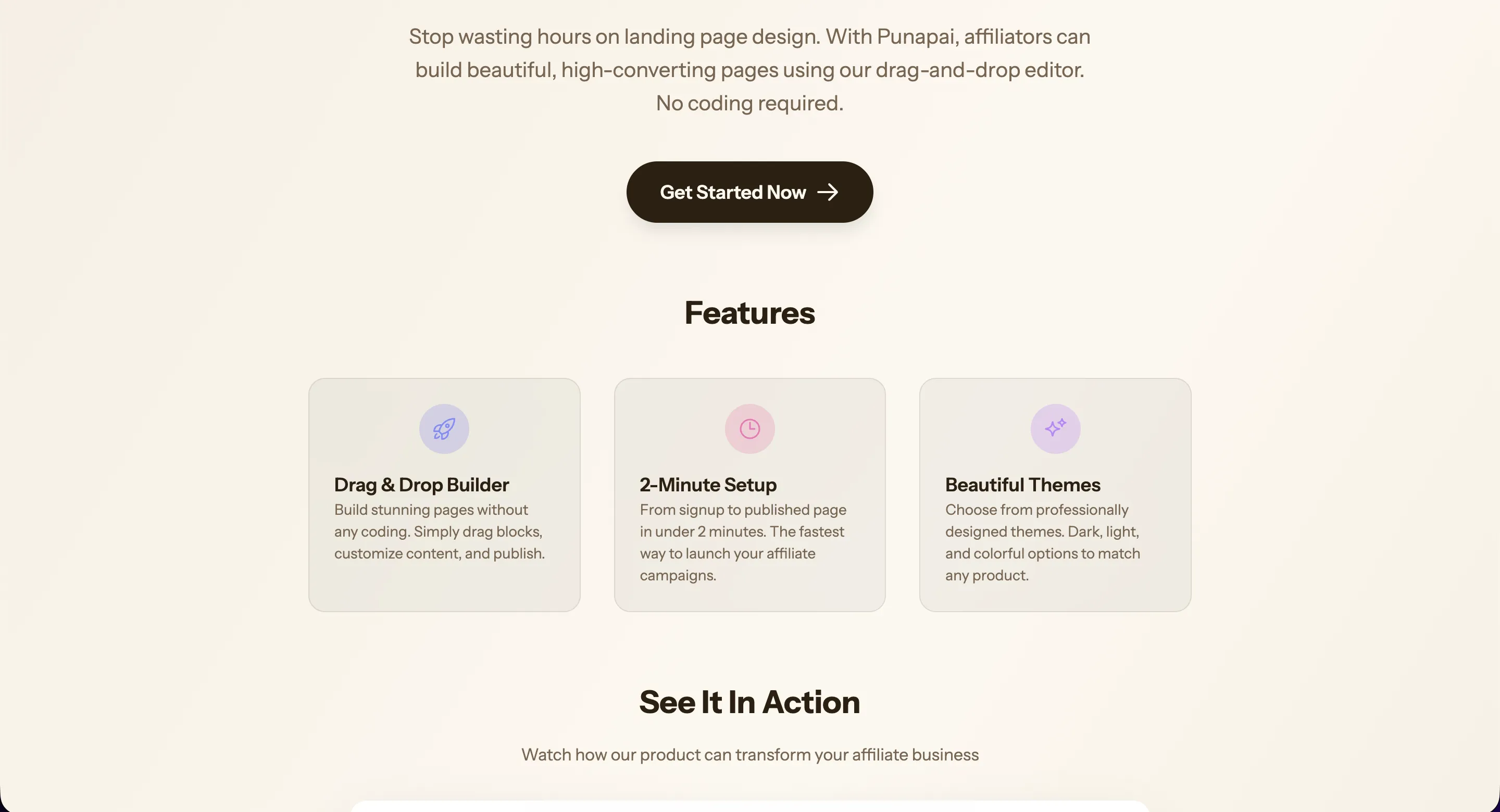
The Affiliate Landing Page Problem
You've found a great product to promote. You've got your affiliate link. Now you need a landing page that actually converts. But building one from scratch means hiring a designer, wrestling with page builders, or spending hours tweaking templates that never quite fit your needs.
Most affiliate marketers aren't web designers, and they shouldn't have to be. The time you spend fighting with layout tools is time you're not spending on what actually makes money: driving traffic and optimizing conversions.
That's exactly where Punapai comes in.
What Is Punapai?
Punapai is a landing page builder designed specifically for affiliate marketers. It strips away the complexity of traditional page builders and gives you a focused, drag-and-drop editor that lets you go from zero to a published landing page in under two minutes. No coding, no design skills, no frustration.
You sign up, pick your blocks, fill in your content, choose a theme, and hit publish. That's it.
A Drag-and-Drop Editor That Gets Out of Your Way
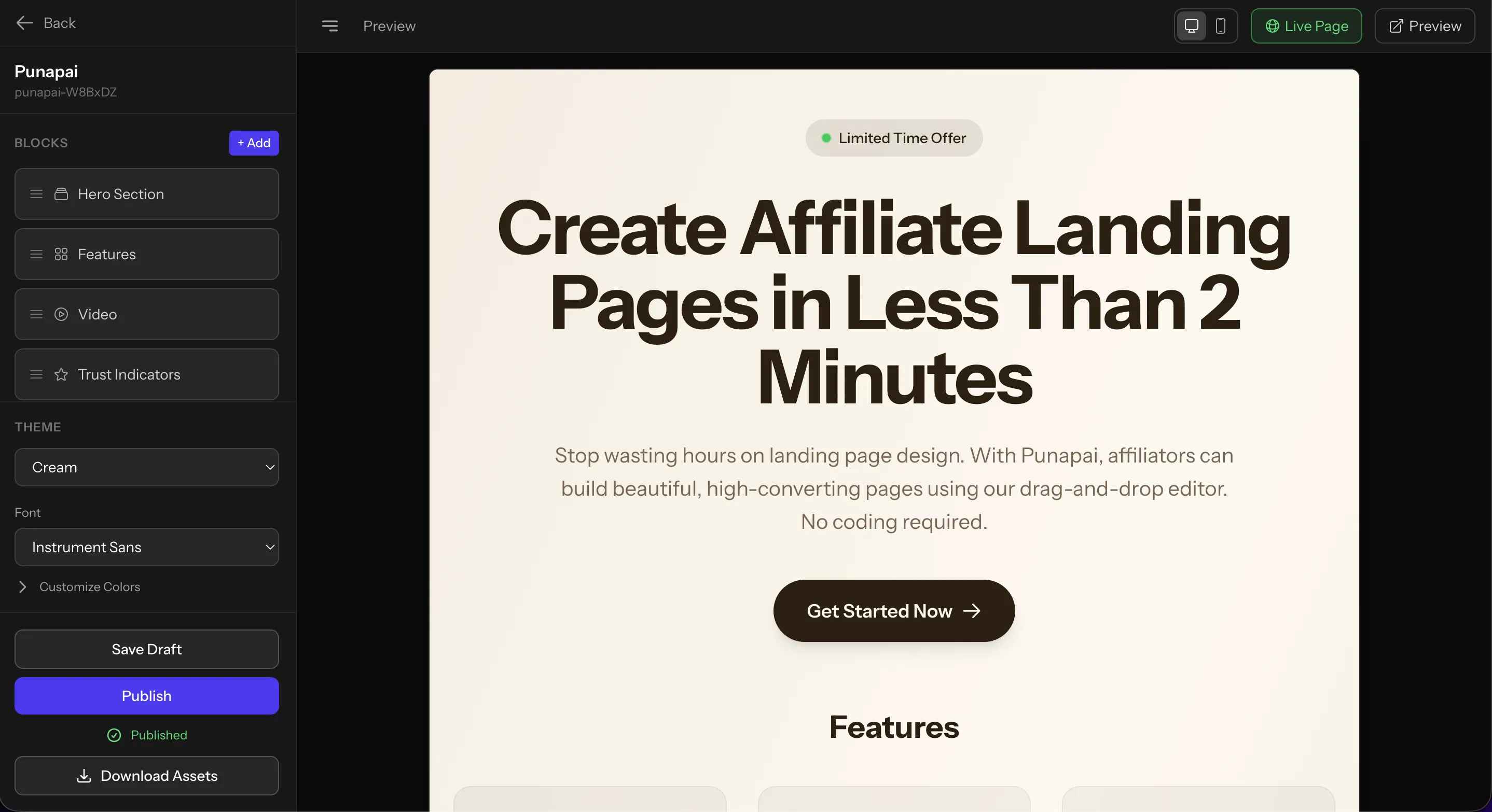
Punapai's editor is built around content blocks. Instead of staring at a blank canvas, you pick from a library of purpose-built sections and arrange them however you want.
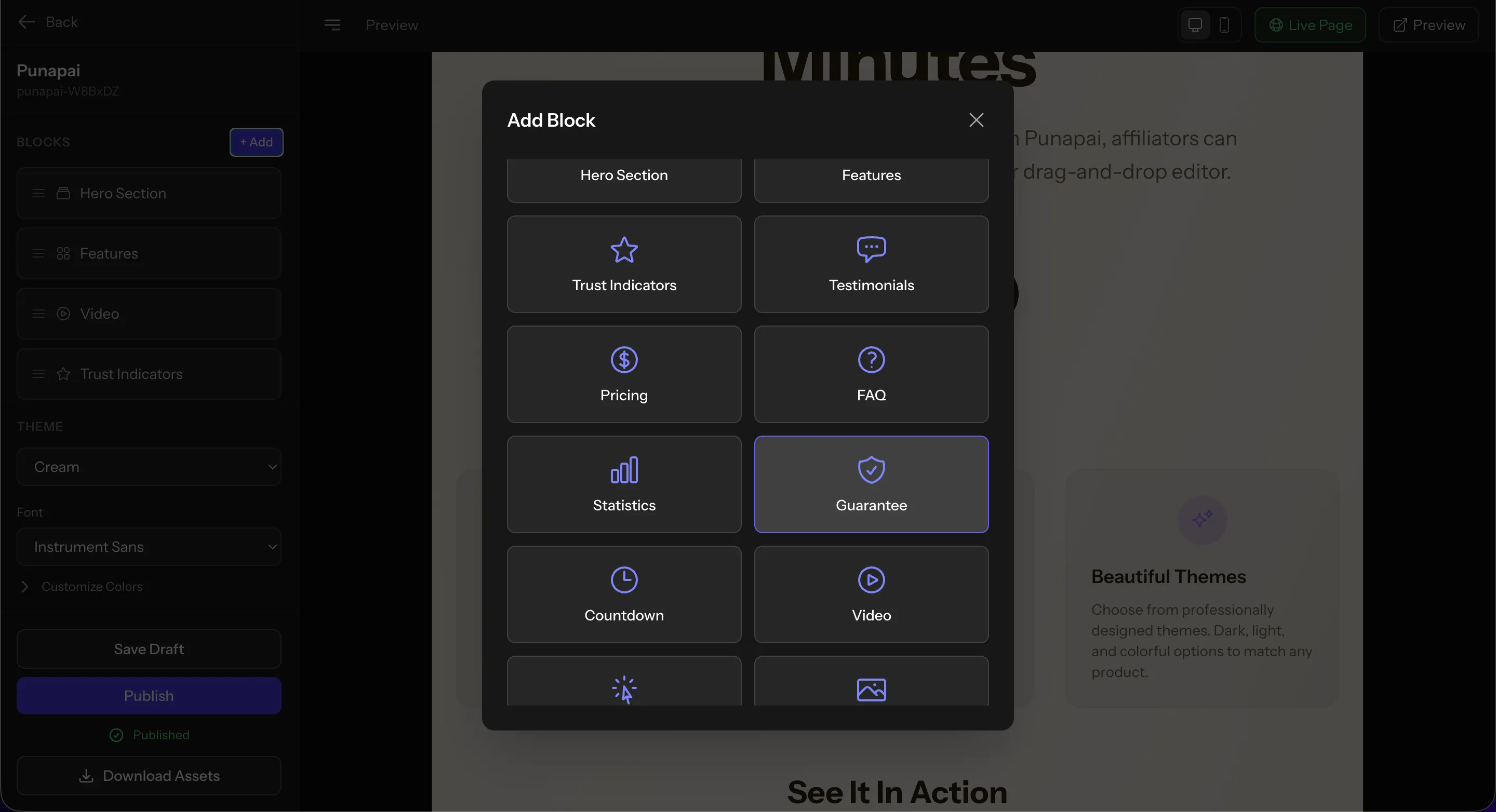
The available blocks cover everything a high-converting landing page needs:
- Hero Section with headline, subheadline, call-to-action button, and optional badge
- Features to highlight what makes the product stand out
- Testimonials for social proof
- Pricing tables to present offers clearly
- FAQ to handle objections before they become bounces
- Trust Indicators, Statistics, and Guarantees to build confidence
- Video embeds for demos or reviews
- Countdown timers for urgency
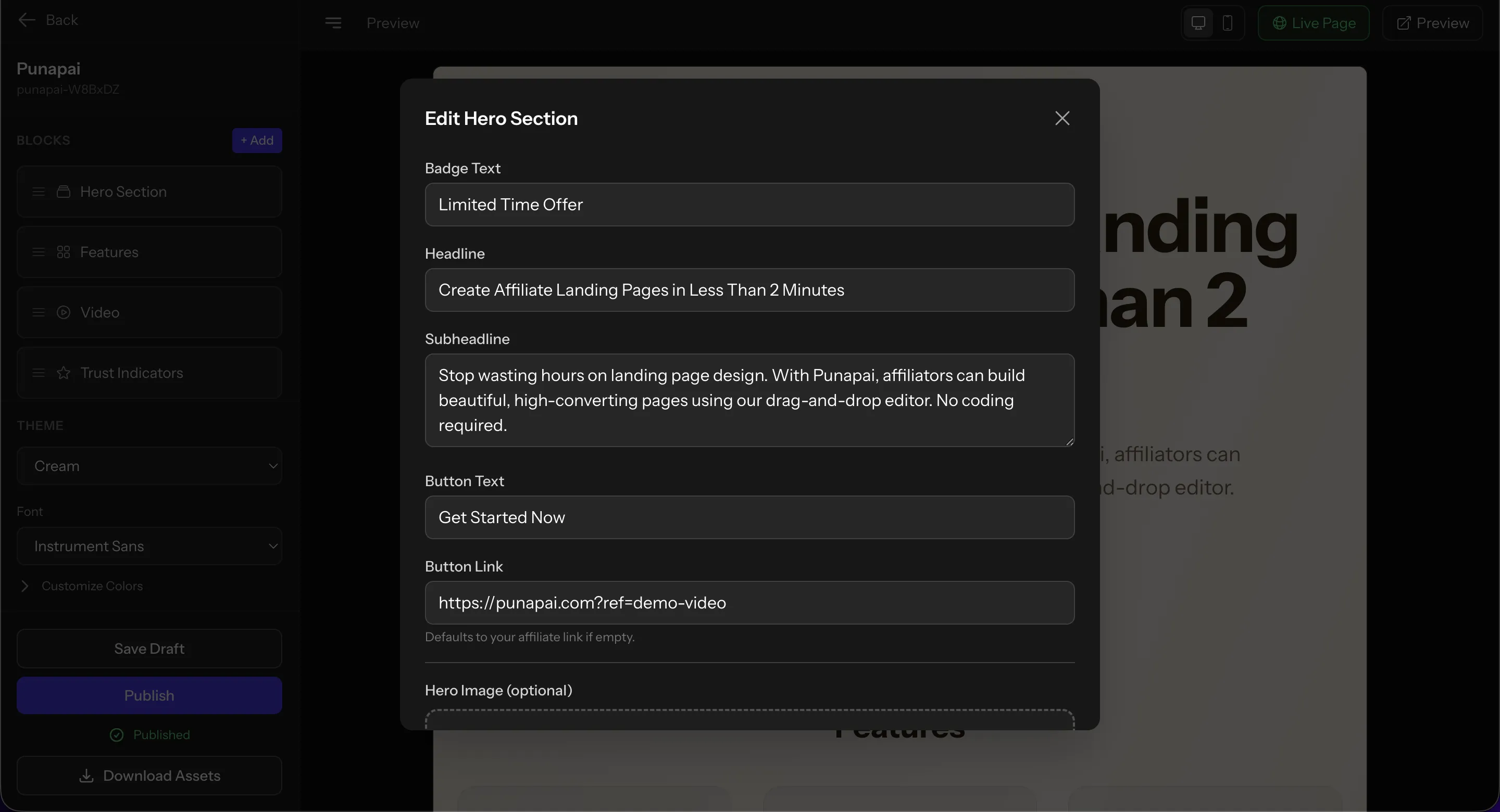
Each block is fully editable. Click on any section and a clean editing panel pops up where you can change the text, links, images, and more.
Beautiful Themes, Zero Design Work
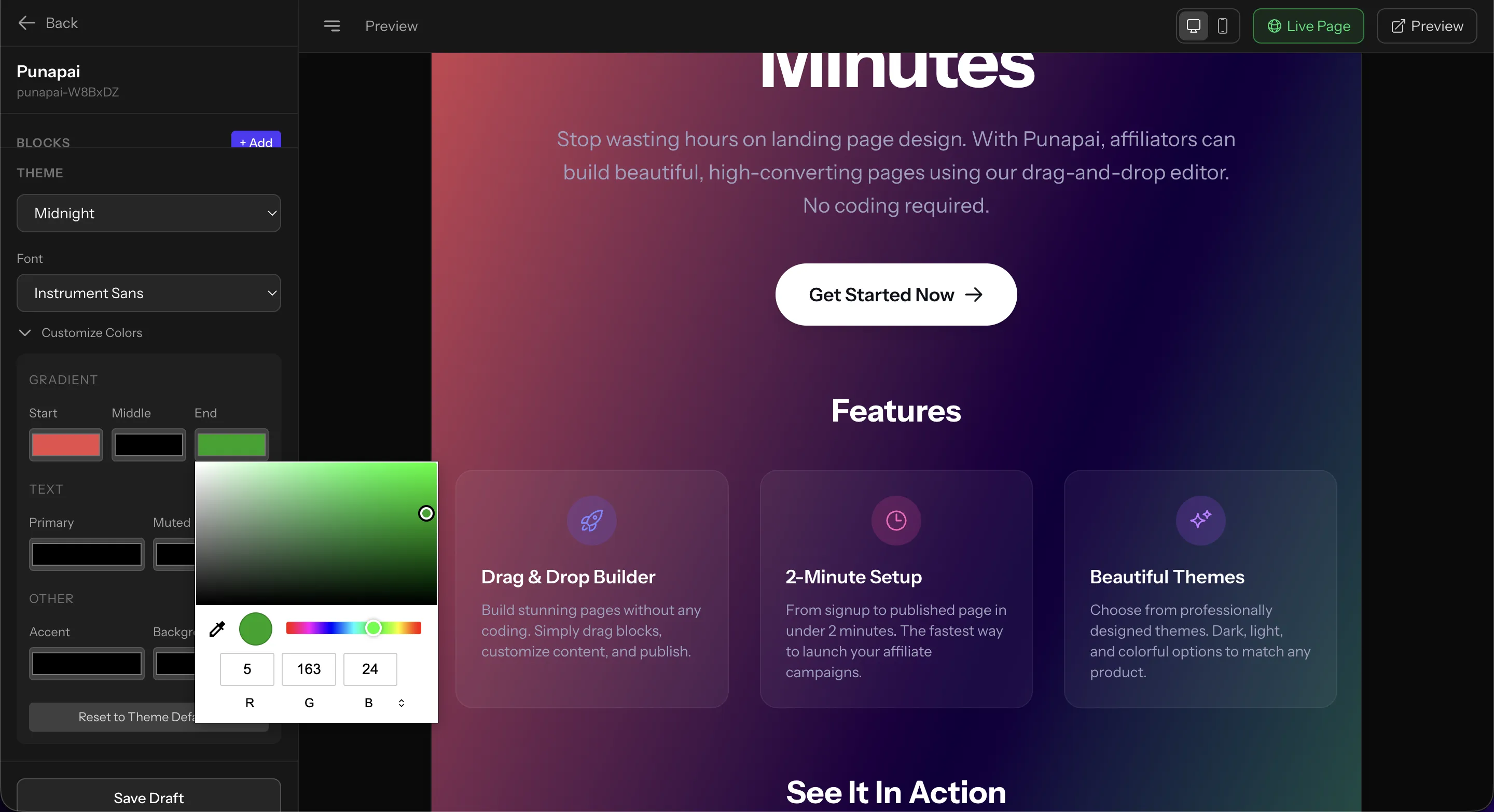
Not everyone has an eye for color palettes and typography. Punapai ships with a collection of professionally designed themes, both dark and light, so your page looks polished from the start.
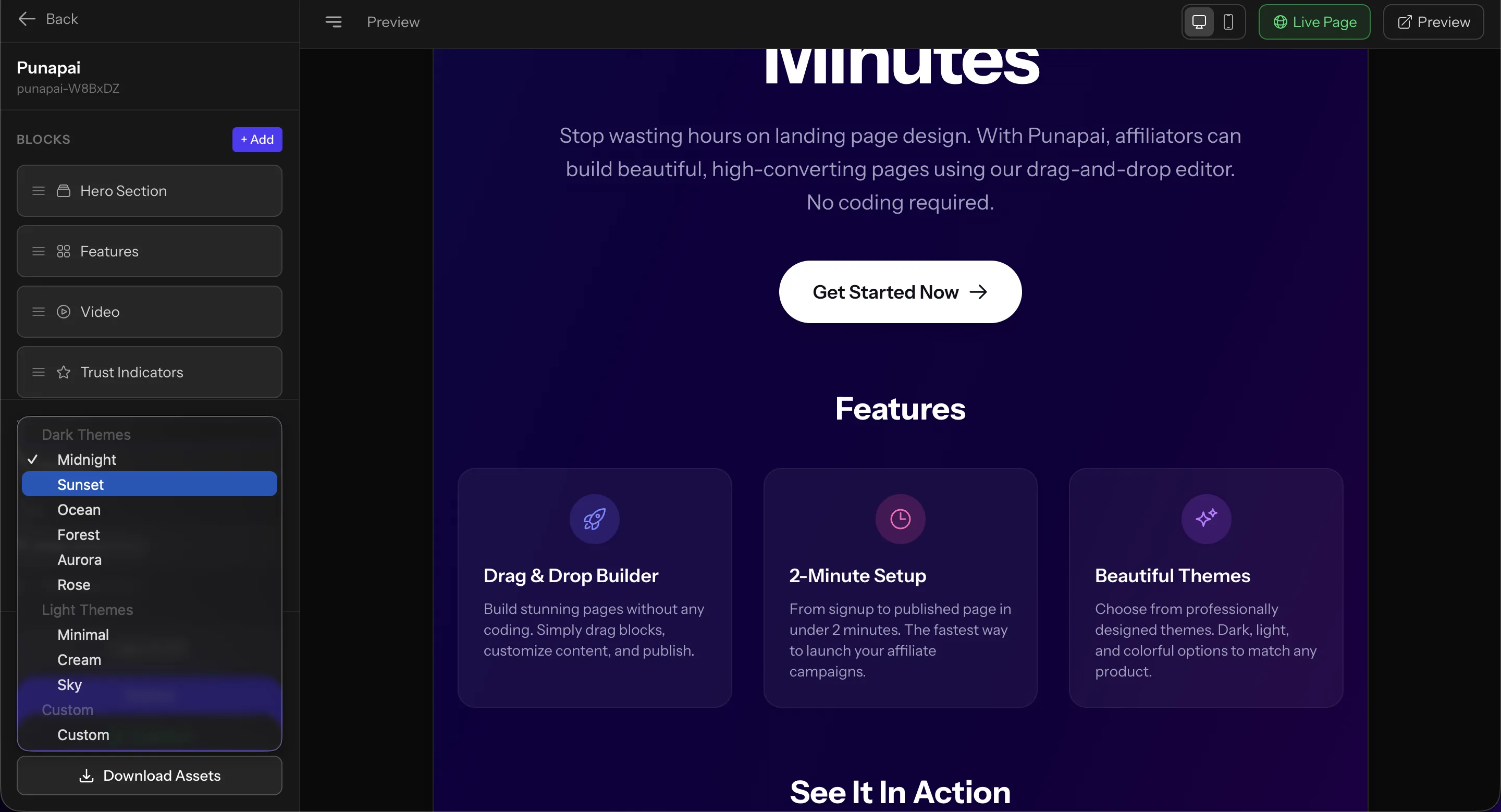
Dark themes like Midnight, Sunset, and Ocean work great for tech products and digital services. Light themes like Cream and Minimal suit lifestyle products, health supplements, or anything where a clean, approachable feel matters.
And if none of the presets match your brand, the Custom theme option lets you dial in your own colors with a full gradient and color picker. You can set primary, accent, and background colors down to the exact hex or RGB value.
Built for Speed
Punapai isn't trying to be a general-purpose website builder. It does one thing and does it well: affiliate landing pages. That focus means there's no bloat, no learning curve, and no wasted time clicking through menus you'll never use.
The typical workflow looks like this:
- Create a project and give it a name
- Add your blocks from the block library
- Edit the content with your product details and affiliate link
- Pick a theme that matches the product vibe
- Hit Publish
From start to finish, most pages take less than two minutes to create.
See It In Action
Here's a quick walkthrough of building an affiliate landing page with Punapai from start to finish:
Publish Instantly or Download Your Page
Once your page is ready, you can publish it live with a single click. Punapai hosts the page for you, so there's no need to set up hosting, configure DNS, or deal with any server management.
If you prefer to self-host, you can also download your landing page assets and deploy them wherever you want. The exported page is clean, self-contained HTML that works anywhere.
Who Is Punapai For?
Punapai is ideal for anyone who promotes products through affiliate links and needs landing pages that convert:
- Affiliate marketers who run paid traffic and need fast, focused landing pages
- Content creators who want a dedicated page for products they recommend
- SEO affiliates looking to build comparison or review pages quickly
- Beginners who don't want to learn WordPress, HTML, or page builder tools
Give It a Try
If you've been putting off building landing pages because the process feels too complicated, Punapai is worth checking out. It removes the friction so you can focus on what matters: getting your affiliate offers in front of the right people.