How to Use Punapai
Everything you need to create beautiful landing pages in minutes. No coding, no design skills required.
Watch It in Action
See how to build a landing page from start to finish in under 2 minutes.
Step-by-Step Guide
Create Your Project
Sign up for free and head to your dashboard. Click New Project, pick a page type, and enter a name. That's all you need to get started.
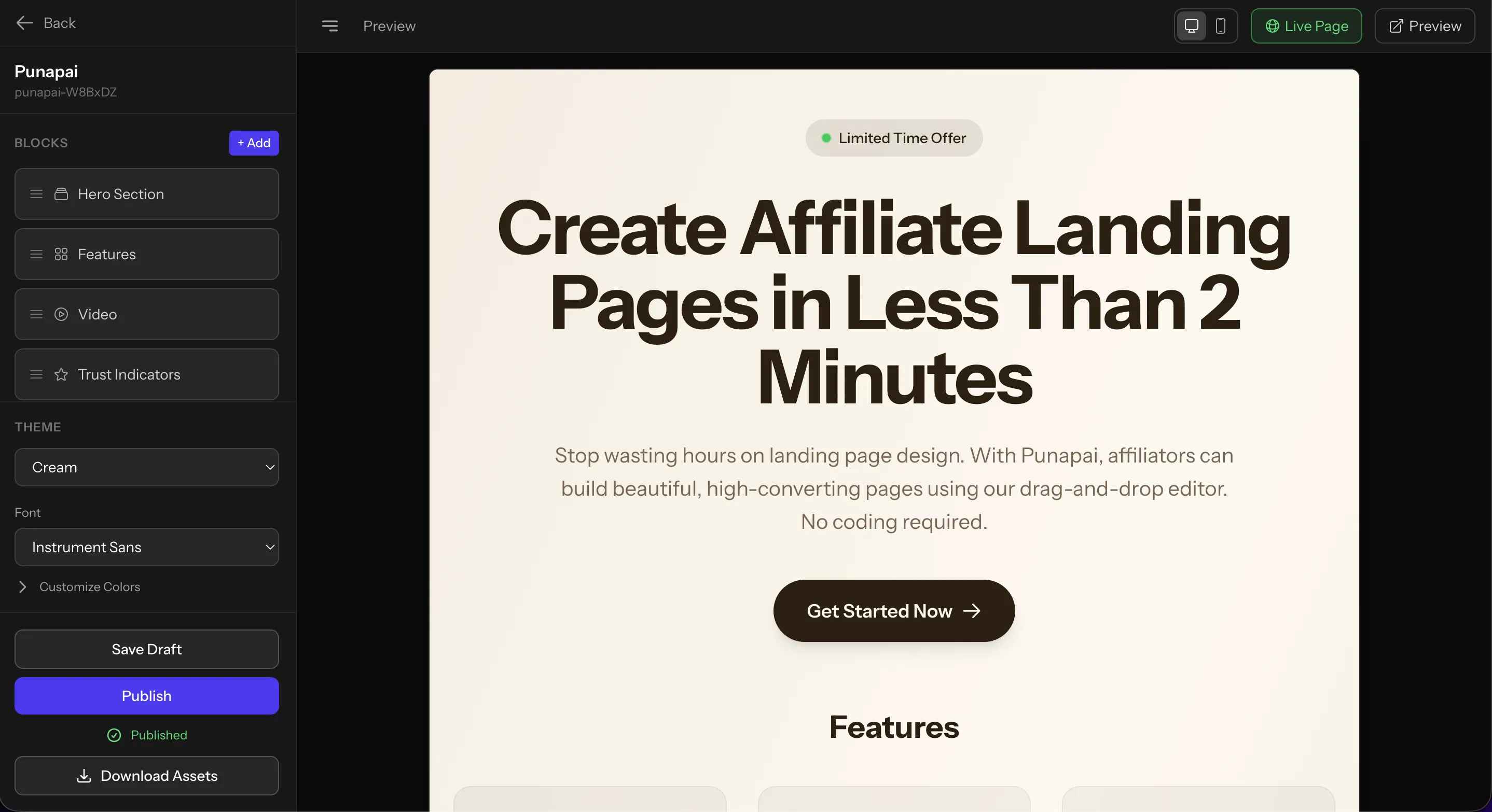
Add Content Blocks
Open the editor and pick from our library of purpose-built blocks. Instead of staring at a blank canvas, you drag in ready-made sections and arrange them however you want.
Available blocks include:
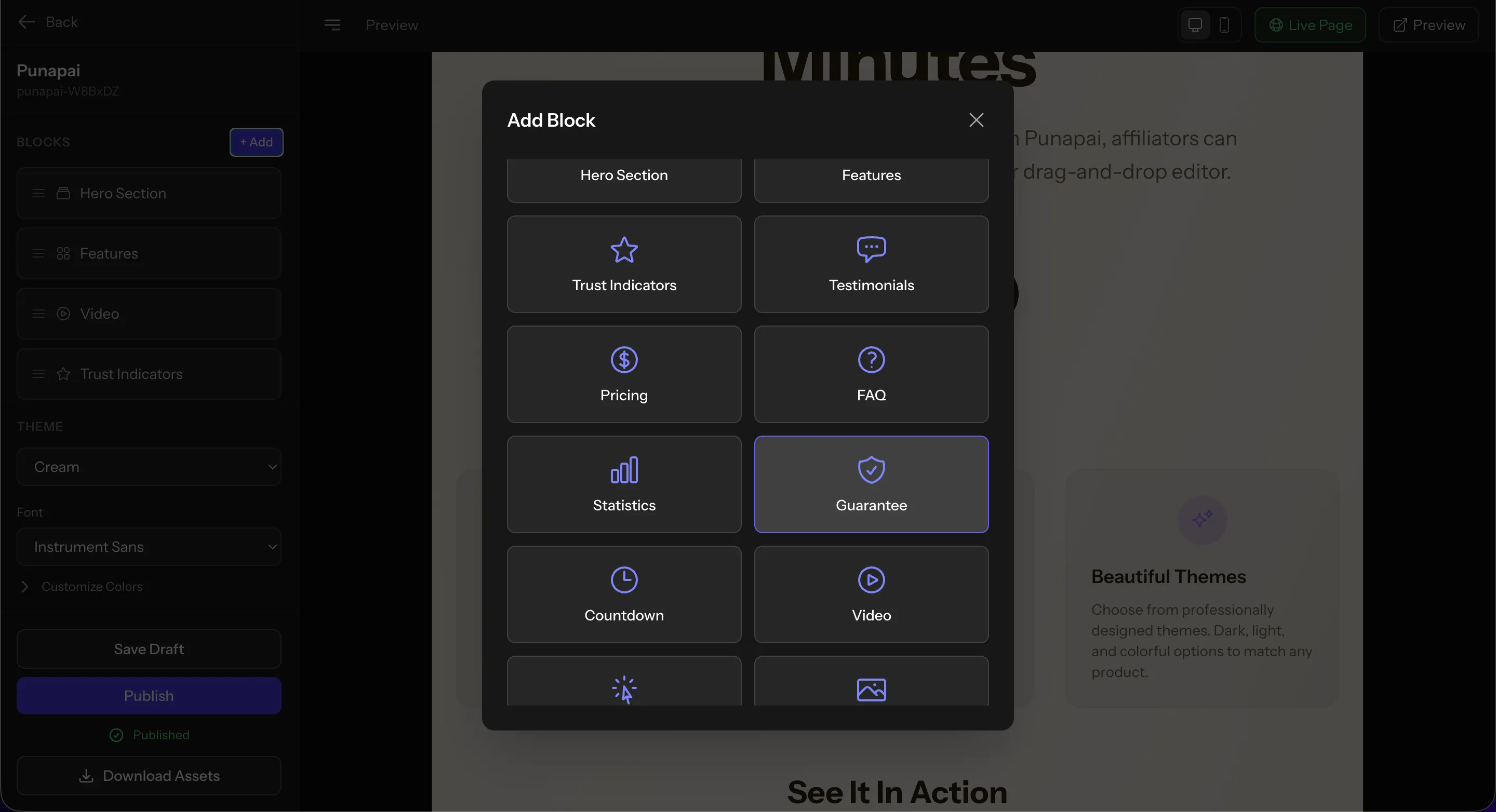
Edit Your Content
Click on any block and a clean editing panel pops up. Change headlines, descriptions, images, and more. Your links are automatically connected to every call-to-action button.
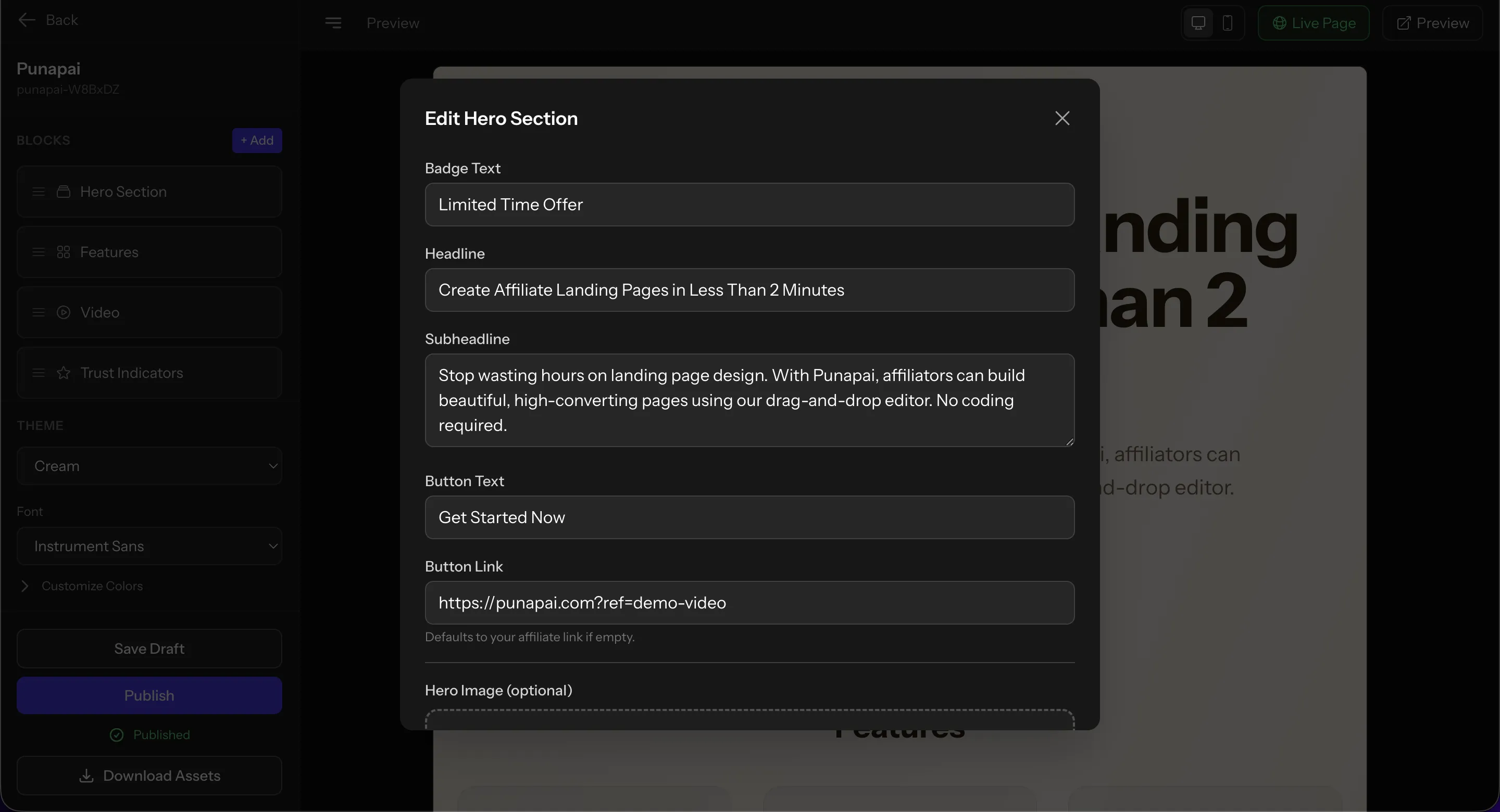
Choose a Theme
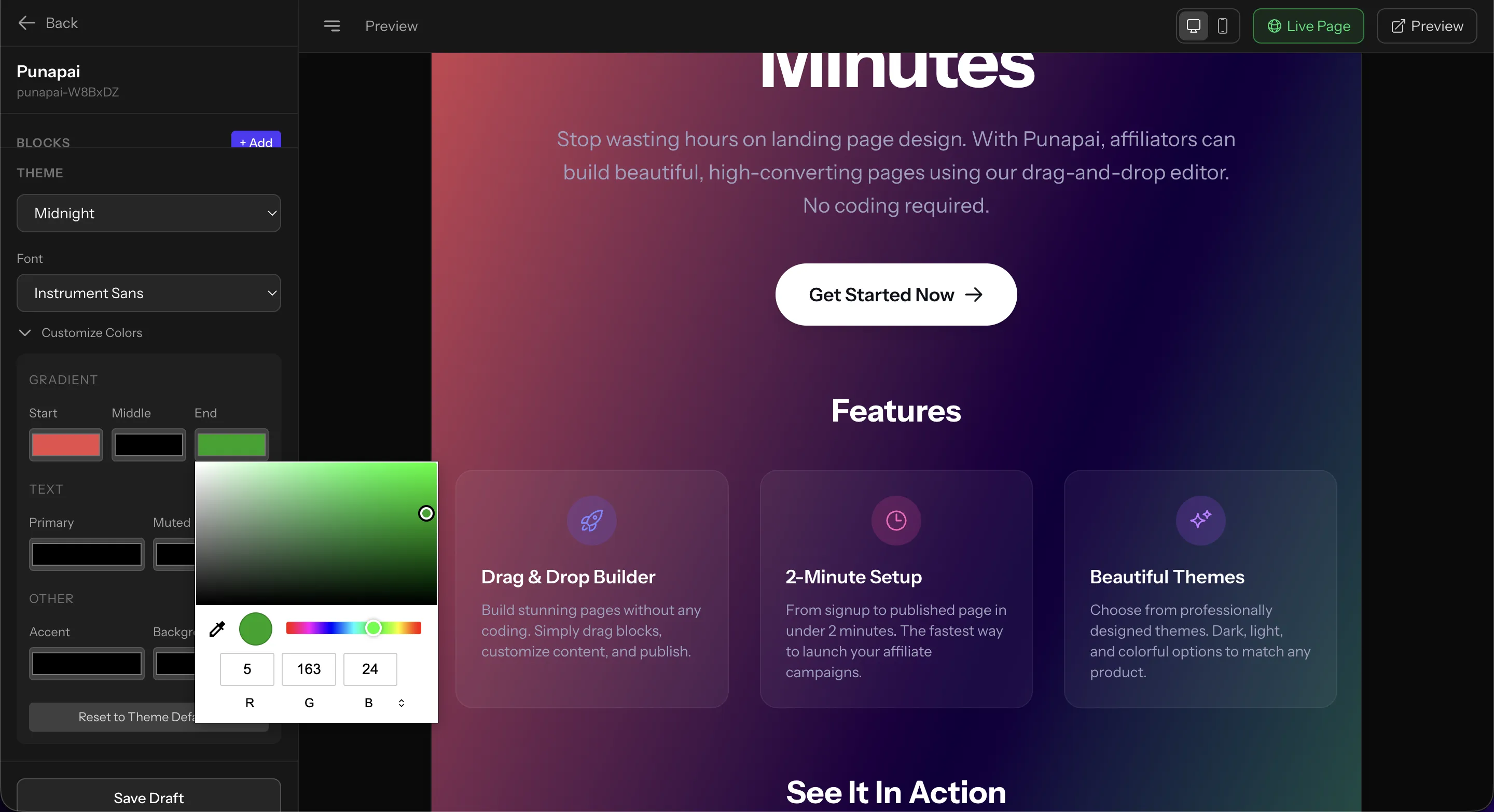
Pick from professionally designed themes so your page looks polished from the start. Dark themes like Midnight, Sunset, and Ocean work great for tech products. Light themes like Cream and Minimal suit lifestyle products.
Want full control? The Custom theme option lets you dial in your own colors with a full gradient and color picker.
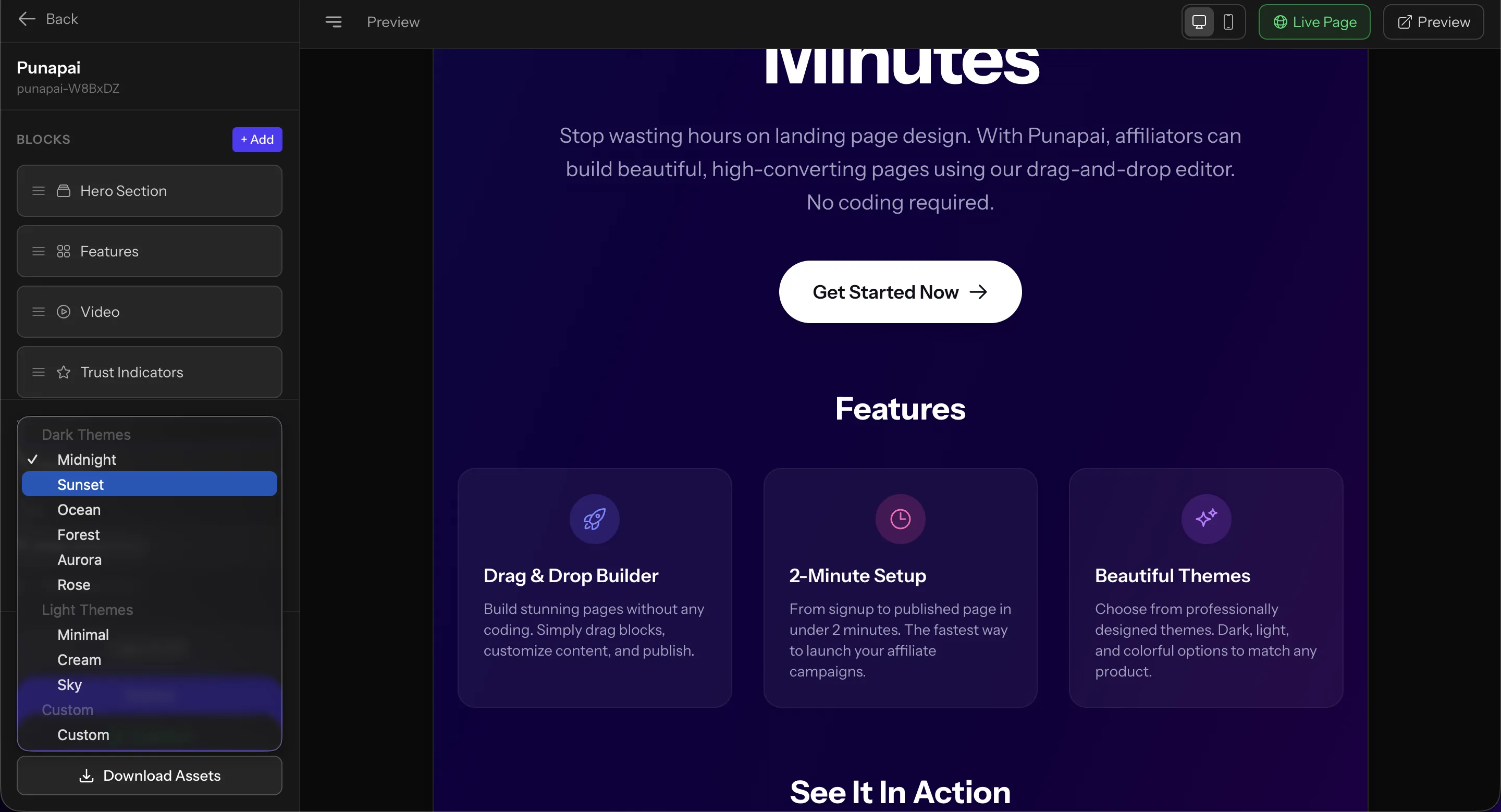
Publish & Share
Hit publish and your page is live instantly. Punapai hosts it for you. No need to set up hosting, configure DNS, or deal with server management. Just share the link and start converting.
Prefer to self-host? On paid plans you can download your page as a ZIP file and deploy it anywhere you want. The exported page is clean, self-contained HTML that works on any server.
Frequently Asked Questions
Not at all. Our editor is fully visual. Just pick a theme, drag in blocks like hero sections, testimonials, pricing tables, and more, then publish with one click.
Pick from 7 templates when you create a project: Blank (empty canvas), Product / Affiliate (pricing, features, CTAs), Event (countdown, schedule, tickets), Wedding (timeline and details), Portfolio / Business (work, services, testimonials), Coming Soon (countdown with email signup), and Giveaway (email entry with QR-verified single-use entries). Once you start editing you can mix and match blocks however you like.
Yes! Our free plan lets you create up to 2 landing pages with 7-day analytics. For more projects, email collection, contact forms, longer analytics retention, and custom domains, check out our Pro and Business plans.
When you create a project, you can set a primary URL. Every call-to-action button on your landing page automatically points to that link. No manual setup needed. You can also set links per block.
Yes. On Pro and Business plans, you can download your landing page as a self-contained ZIP file and host it anywhere you like, on your own server, via SFTP, or any static hosting provider.
You can use your landing page as a sales page by linking buttons or pricing tiers to your own payment provider (Stripe Payment Links, Gumroad, Lemon Squeezy, Paddle, etc.). Punapai does not process payments on your behalf and never touches your money. You connect your own provider, the link goes on your page, the transaction happens between you and your buyer.
Yes. Pro, Business, and Enterprise plans include custom domains with auto-provisioned SSL. Pro gets 1, Business 3, and Enterprise 5 (extendable on request). Point your domain at us via a CNAME, verify ownership with a TXT record, and your landing page goes live at https://yourdomain.com/.
You can reach us by email at the address listed on our website. We typically respond within 24 hours on business days.
Ready to Build Your First Page?
Join thousands of creators who build landing pages in minutes, not hours.
Get Started Free